Registering for The Bachelor Bracket
We have three ways that you can create an account:
At the top right of the navigation bar, you will see the buttons which allow you to choose one of these three options.
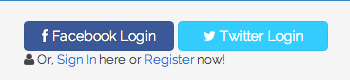
The Sign In and Register Buttons
Signing Up with Facebook or Twitter is as easy as clicking the Login button at the top of the page. If you are not currently a registered member then it will automatically create your account. And, if you are a registered memeber, you will be logged in. Note: you can only have one account per email address. So, if your Facebook account uses the same email as an already existing email account you have with The Bachelor Bracket, registration will fail.
You will first need to create an account by going to the Sign Up page.
Once you are on the Sign Up page, you will need to fill in our email address and a secure password. The email address you use will be what you use to sign in and also receive notification and help emails from The Bachelor Bracket.
The Sign Up Form
After you sign up, you will receive a confirmation email to the email account you registered with.